Start with fit. Add features second.
This editorial checklist orders what to consider first. The bars illustrate priorities; they are not measured performance scores or survey results.
What could this home office cost?
Estimate a complete setup using location, room size, and quality level. Figures are early-planning ranges, not retailer quotes.
Texas · 120 sq ft · Standard
$1,882–$2,438Typical planning point: $2,138What you may need
Desk & ergonomic chair$923
Monitor setup & accessories$603
Lighting & power management$253
Storage & organization$360
Includes new core furnishings, organization, lighting, and everyday essentials shown above. Delivery, assembly, tax, construction, built-ins, and major appliances may be additional.
Let’s plan this room around real life
A home office should support neutral posture, clear focus, reliable connectivity, and easy transitions between sitting and moving. Adjustability usually matters more than appearance.
Neutral posture
Set chair, desk, keyboard, and display positions to reduce sustained strain.
Task lighting
Light the work surface without creating screen glare.
Reliable power
Use appropriately listed surge protection and avoid overloaded outlets.
Visual order
Keep daily tools close and archive supplies outside the primary work zone.
What should you buy first?
Fit the chair and desk
Adjust feet, elbows, and screen height before adding accessories.
Tame power and cables
Create a serviceable route with room for ventilation.
Add movement options
Use routine breaks or a sit-stand setup that suits the workday.
Budget / Standard / Premium
Prioritize a supportive chair setup, task lamp, surge protector, and simple cable control.
Add a monitor arm, external keyboard, and better storage after the workstation is measured.
Premium desks and chairs should earn their cost through adjustability, durability, parts, and warranty.
Before you call this room finished
Open every door, drawer, and window and leave comfortable paths through the room.
Try lighting, charging, storage, cleanup, and the most common activity before adding décor.
Delivery, assembly, missing hardware, returns, and one overlooked essential can change the total.
Independent buying checklist for this home office
Independent checklist: HomeCostGrid does not earn a retailer commission from these product examples. Compare specifications, warranty, delivered price and return terms with the seller you choose.
Adjustable monitor arm
Frees desk space and can improve display positioning.
One thing to check: Monitor weight, VESA pattern, desk thickness, clamp clearance, and range.Compare this specification across at least two retailers.
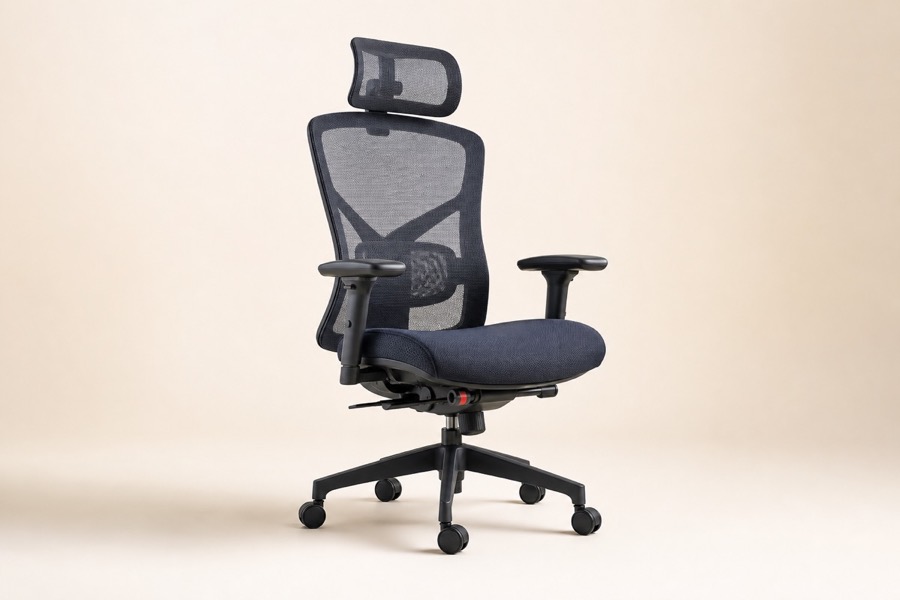
Ergonomic office chair
An adjustable chair is a strong starting point for a daily workstation.
One thing to check: Seat range, depth, lumbar and arm adjustment, materials, and warranty.Compare this specification across at least two retailers.
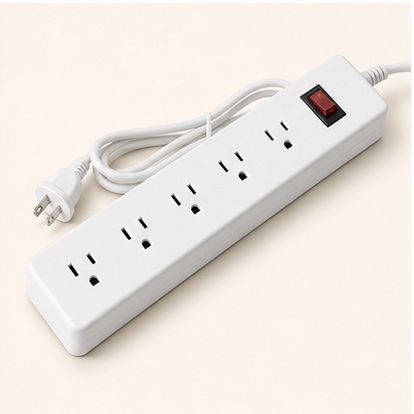
Listed surge protector with USB-C
Centralizes protected power for common desk equipment.
One thing to check: UL listing, joule rating, USB-C output, cord length, and equipment load.Compare this specification across at least two retailers.
Frequently asked questions
How does HomeCostGrid choose products?
We start with the way you’ll actually use the product, then compare total cost, useful features, warranty, availability, and value at several budgets.
Are retailer affiliate links used?
No. The product examples on this page are independent editorial comparison prompts and contain no commissioned retailer links.
How often is this guide reviewed?
Core buying criteria are reviewed regularly; price and inventory should always be confirmed with the retailer.